I must be blind... I'm just not seeing anywhere on the miscellaneous small template to change the back of the card to match the special card back instead of the item back. I'm also not finding the image in the resources folder to do a patch on the template. Could you direct me to it please?
Strange Eons 2.1
That's the closest thing available at the moment.
The keys for the misc. small card backs and their default values are:
sm-misc-back-sheet-template = templates/inv-misc.jp2
sm-misc-back-overlay-template = templates/inv-misc-back-overlay.jp2
sm-misc-back-item-overlay-template = templates/inv-misc-back-overlay2.jp2
The first two are used when the back has text content, the third is used when the back is item-style. You'll probably want to change the third, in which case create a card whose basic overall colour is pure red (otherwise tinting will have unexpected effects).
Cheers,
Chris
Hello Thelric, I've bee out from the loop for quite some time, so I'm happy to see you have released a new version! I will find it out and try it this evening, I hope.
Just a quick question, where you able to implement some other format for the card deck holders, or do you plan to in the future?
Thanks a lot for your wonderful job
Marco
It hasn't actually been released yet. In fact, I can't even work on it at the moment as my development PC is dead until I can get some replacement parts for it. Anyway, alternate box shapes haven't been implemented yet. You can follow the progress of this feature on this page.
Cheers,
Chris
Thelric said:
That's the closest thing available at the moment.
Just a small update on this. I can confirm that a new "Special" option will be available for Misc. Small card backs in SE3.
Cheers,
Chris
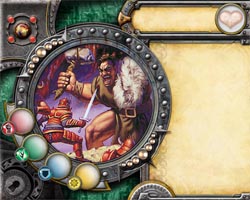
After I am done with the Runebound extension, I shall be working on the DQ one...
Cool to hear that an update may be on the way (hope your PC gets fixed soon). Strange Eons is a terrific program, very well made. You deserve a ton of credit for making something that works so wonderfully smoothly.
(And for making something that even I could figure out how to use quickly. O_O)
Is there a way to print things as text only? For playtesting purposes?
ummmm.................a text file?
Admiral142 said:
Is there a way to print things as text only? For playtesting purposes?
I'd just copy and paste to notepad (or textedit on a Mac) and print that out.
Hehe, well, notepad is always an option. I was hoping that there might be a built in option that would print, for example, a monster without the picture and the awareness, name, special abilities, combat modifiers and damage, and toughness in a plain text format, while keeping it on the little square. In this way you could print a bunch of monsters and use them as if they were complete, then easily mark changes needed by just writing on the tile. I may have to see about making a plug in to do this, after I take a few more Java classes. With ink being as expensive as it is, it would be nice to playtest pieces before using up a bunch of color ink. Of course, a plain text document could work too. Thanks!
Admiral142 said:
Hehe, well, notepad is always an option. I was hoping that there might be a built in option that would print, for example, a monster without the picture and the awareness, name, special abilities, combat modifiers and damage, and toughness in a plain text format, while keeping it on the little square. In this way you could print a bunch of monsters and use them as if they were complete, then easily mark changes needed by just writing on the tile. I may have to see about making a plug in to do this, after I take a few more Java classes. With ink being as expensive as it is, it would be nice to playtest pieces before using up a bunch of color ink. Of course, a plain text document could work too. Thanks!
Ah, I get ya. Yeah. For AOs, Investigators, and the like, a plain text thing would be easy, but for monsters, you'd have some trouble. A plug-in for that could be nice if you're up for it. Otherwise, I'd probably suggest using Word or some such and just setting up a properly-sized text box to work in.
Admiral142 said:
Hehe, well, notepad is always an option. I was hoping that there might be a built in option that would print, for example, a monster without the picture and the awareness, name, special abilities, combat modifiers and damage, and toughness in a plain text format, while keeping it on the little square. In this way you could print a bunch of monsters and use them as if they were complete, then easily mark changes needed by just writing on the tile. I may have to see about making a plug in to do this, after I take a few more Java classes. With ink being as expensive as it is, it would be nice to playtest pieces before using up a bunch of color ink. Of course, a plain text document could work too. Thanks!
Well, it would be fairly easy to write a plug-in for that purpose.
Or you could just use a white box as the portrait and choose black and white in your printer's setup dialog.
Cheers,
Chris
1. What's up with the Dungeonquest extension?
2. What about Dominion extension?
Is anyone else havng a problem with using Export to Web?
Hi Chris,
Do you, by chance, have a rough estimate on when you might be releasing SE3? I just read your comment that you'll have "Special" cards available and that got me excited. Will you have any other new features?
Bhu said:
Is anyone else havng a problem with using Export to Web?
The host site has been changing things around lately, and it is possible that the previous upload method doesn't work any longer. They have been adding a more standard way to upload pictures (similar to other such services, and requiring an "API key" to use). If they no longer support the old method, it is probably intentional. In that case the future of the plug-in is dubious.
Musha Shukou said:
Hi Chris,
Do you, by chance, have a rough estimate on when you might be releasing SE3? I just read your comment that you'll have "Special" cards available and that got me excited. Will you have any other new features?
No. A special developer release has been made available to help plug-in authors update their plug-ins to take advantage of new features, and another one will probably be released soon. But there are still a number of features that are buggy or unpolished and not ready for prime time.
Yes.
Cheers,
Chris
Any chance there will be SE compatibility for the new Elder Sign game?
Your work is never finished, eh, Chris? 
(Sorry for the delay. I've tried posting this several times over the last week or so. Edit: It seems that there was some kind of problem with the quote blocks. When I took those out, it posted.)
It seems like a possibility.
Yeah—like most I thought that there might be a break in expansions at this point, and instead FFG puts out TWO expansions and TWO other games. That's a big part of why I started work on SE3 at this point: it involves a lot of internal changes and reorganization, and while that is happening it isn't so easy to quickly put out an update when a new expansion appears. So far, though, it looks like the biggest change with these expansions is the multiple/required expansion symbols, and I've already finished that.
Cheers,
Chris
Is there a way to add a Dimensional Symbol to an Investigator card?
Bhu said:
Is there a way to add a Dimensional Symbol to an Investigator card?
You can add pretty much anything to anything using the Markup > Picture function.
Thanks! I kept looking under toolbox :headdesks:
I think i must be doing something wrong. Markup was working before, but now I cant get it to work at all. The text remains light gray and I am unable to highlight any of the options in it.
Edit: Never mind I got it to sort of work. Meaning I can access Markup>Picture to insert a picture, i just cant get it to actually do so. Im kind of trying to make a new dimensional symbol, and I have the symbol, i just cant get it to insert it on the pic.
It's a little unclear what you are trying to do from the post. The Markup menu is only available when you are typing in a text field that accepts, well, markup---that being the tags that allow you to do things like change the font style or insert an inline picture into the card text. If you are trying to change an icon elsewhere, such as adding a new icon to gate markers, that is more involved.
Cheers,
Chris
Thelric said:
It's a little unclear what you are trying to do from the post. The Markup menu is only available when you are typing in a text field that accepts, well, markup---that being the tags that allow you to do things like change the font style or insert an inline picture into the card text. If you are trying to change an icon elsewhere, such as adding a new icon to gate markers, that is more involved.
Cheers,
Chris
I'm trying to put an image on Monster Cards where the DImensional symbol would normally go. I'm also trying to add a Dimensional Symbol to the front of an Investigator Card.