New Update
Added sailing icons and a button for sailing test icon. That's all for now.
Remember that you can configure the context bar to show icon buttons, in Edit > Preferences > Context bar.
New Update
Added sailing icons and a button for sailing test icon. That's all for now.
Remember that you can configure the context bar to show icon buttons, in Edit > Preferences > Context bar.
More than a month until I found the time to update my plugins. Sad, but lifes hard sometimes. :-p
Anyhow, thanks for the update!
I do get a message on each build-in picture: >>Unable to load image resource "TheLordOfTheRingsLCG/icon/e.g.TheThreeTrials.png"<< So I assume there was some mistake at compiling the package?
On 2017-11-2 at 5:30 PM, Flrbb said:Unable to load image resource "TheLordOfTheRingsLCG/icon/e.g.TheThreeTrials.png"
Yes, I see I didn't test the last update properly. You will find the update soon.
You'll notice the icon picture loads porperly in the card. You can create the cards safely, because it's just a problem with the user interface.
Edited by HeavyKaraghOn 2017-11-2 at 5:30 PM, Flrbb said:So I assume there was some mistake at compiling the package?
Testing again, it seems like there's a problem with the plugin installation and a clean update should fix it. Do the following:
If it works tell me. If someone else got this problem report it here too.
Thank you so much for your work! Will try it soon.
On 6.11.2017 at 11:00 AM, HeavyKaragh said:Testing again, it seems like there's a problem with the plugin installation and a clean update should fix it. Do the following:
- Go to Toolbox>Manage Plugins (or press F12)
- Select each The Lord of the Rings LCG extensión and uninstall it.
- Close Strange Eons
- Open Strange Eons
- Go to Toolbox>Caralog (or press Shift+F12)
- Install The Lord of the Rings LCG HD plugin
- Close Strange Eons
- Open Strange Eons
- Try creating a card
If it works tell me. If someone else got this problem report it here too.
works for me!
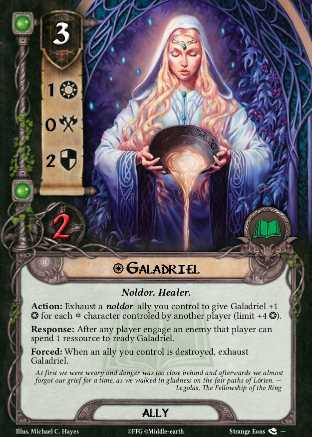
I (finally) start to reword the presentation cards. That is my proposition for Ally:
Edited by Rouxxor
And his french version

For the hero it was only correction of the typo mistakes and traduction, since big images does not allow a long text.
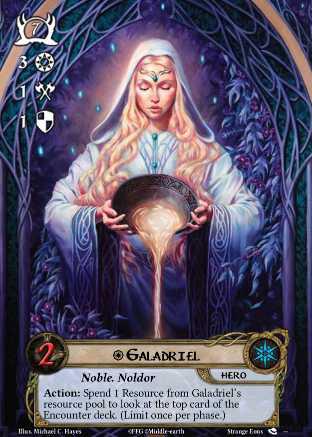
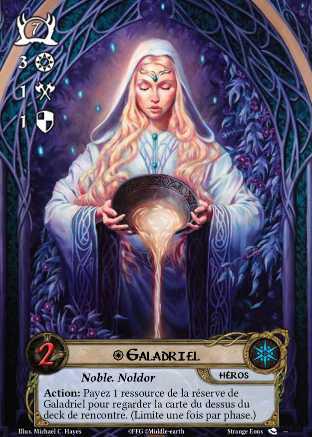
Your text is quite small, it's hard to read.
The idea is to put more abilities so we have, each time we create a new cards, more syntax already here. We can just erase the part that don't fit and change a few words to make the major part of the ability of the game. It is supposed to be read directly in the Strange Eons box of text. It is also difficult to read here because of the low resolution of the images. I post them to be sure that heavykaragh agree about this before doing the others cards.
I continue to make some changes to correct little mistake (as the point at the end of the last trait, define how long the boost last).
They look good enough. For the ally, change the flavour text to a short frase to gain font size, and should be done. For example:
...we almost forgot our grief for a time...
---Legolas, The Fellowship of the Ring
Also, Action should be limited to once per phase.
With the Hero, we can change the default template to the non-promotional version.
I have to make a post per couple because of the limit size per post. So first Hero
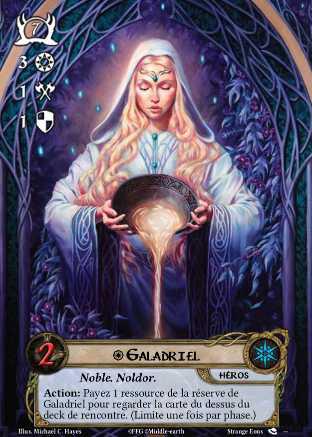
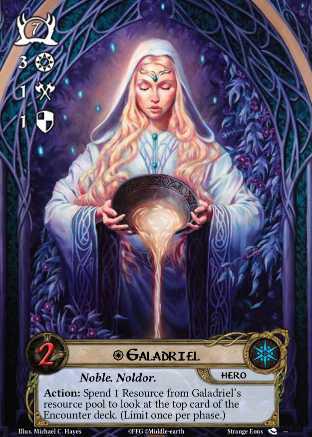
Then Ally VF

No. I can't upload them here (not longer allowing any space) for the moment. This is a link to gather them all: https://imgur.com/gallery/abmcL
Edited by RouxxorI'm having trouble because of 2 things that haven't be implemented yet:
1/ There is a limit of 20 progress on main quests. It is possible to extend this to 50?
2/ There is no possibility for creationg stage 2C, 3E or so. It is very usefull for epic mode, or when encounter have his own quest deck (like race across harad).
23 hours ago, Rouxxor said:I'm having trouble because of 2 things that haven't be implemented yet:
1/ There is a limit of 20 progress on main quests. It is possible to extend this to 50?
2/ There is no possibility for creationg stage 2C, 3E or so. It is very usefull for epic mode, or when encounter have his own quest deck (like race across harad).
I'll work on that, but will take long because I have to think how to implement those changes in the code and the user interface.
Ok. Thanks for looking at it. I have done temporary method to do what I want but I will change my quest cards as soon those options are available :).
Have you take a look to the most recent of ally/Hero/attachment? So I know if they are ok for you and I start make another card types.
I also see some traductions missing or wrong about some card type in french. I will make a complete list if you can correct them :).
Is it possible to get shadow effects on player cards? Would love to make new cards with the Encounter keyword.
On 28/11/2017 at 11:21 PM, Rouxxor said:Have you take a look to the most recent of ally/Hero/attachment? So I know if they are ok for you and I start make another card types.
I also see some traductions missing or wrong about some card type in french. I will make a complete list if you can correct them :).
Yeah, examples are ok. I may shorten some text to make it more legible, once you get the others, send me a PM with them.
The translations are easy to do, once I finish including new encounter icons and some other stuff in the plugin, I'll contact you through PM to update the translation.
On 29/11/2017 at 5:44 PM, Lancastrianer said:Is it possible to get shadow effects on player cards? Would love to make new cards with the Encounter keyword.
Sure, I could add a text box for the shadow effects, but... you can do that right now! Create a new player card and add this into the rules box:
<b>Action:</b> action effect.
<vs>
<center><sha><i>
<b>Shadow:<b> shadow effect.
Perfect. Thank you very much. 
Thank you, this was easy and fun. Is there a good place to discuss fantasy cards?

On 30/12/2017 at 10:11 PM, Tegyrius said:Thank you, this was easy and fun. Is there a good place to discuss fantasy cards?
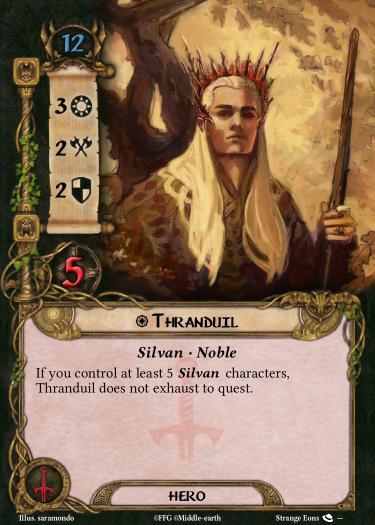
To be in line with the other elves from the game he should have 4 hit-points
A new update is available.
- Reworked fonts: I've updated the font files to get rid of some bugs appearing depending on Java version and operative system installed. If anyone finds missing accents or graphical glitches, please, report it.
- Added Eye of Sauron icons.
- Card sized divider now has template colors based on the box or cycle.
I found a good YouTube tutorial on installation and basic usage, thanks to The Kirkwood Runner: Strange Eons tutorial
I haven't included example cards shown above because to include some new features I'm planning I have to rework a big portion of the code, and that will take a lot of time.
Make a backup of your cards before editing in the new version. If you find anything not working properly, report it.
It seems that updating the plugin trough the catalog may not work as expected. If you find yourself without proper encounter set or collection lists, you have to reinstall the plugin.
Any of you can solve this following these steps:
I've been reported this problem 3 times, but I don't know if this is common or where lies the problem. If any of you have this problem, leave a message here. Writing "update problem" is enough.