LOTR LCG Deck Builder for Windows

By Nyarlazorbec, in The Lord of the Rings: The Card Game

Hello,

To complement the actual online resources and give you offline deck building capabilities, I propose you my new Deck Builder software for The Lord of the Ring LCG game.

It is available here: eric.minet.free.fr/lotrbuilder/index_en.htm

Some of you already know and appreciate the Call of Cthulhu LCG version of the Deck Builder (see here : www.fantasyflightgames.com/edge_foros_discusion.asp.

This one has a whole new themed user interface, along with the necessary adaptations to the new game. But it keeps the portability and extensive features of its predecessor.

As for my previous Deck Builder programs, it is a FREEWARE and runs on any Windows 9X/2K/XP system (or Linux/Mac OS using Windows Emulator programs).

The minimum requirements are :
- About 3 MB of free disk space (without pictures)
- A graphic resolution of 1024x600 pixels in thousands of colors (higher resolution is strongly recommended).

The software does not require any additionnal DLL, runtime or database and does not install anything into the system folders or registry.

It is fully translated in both English and French. You can independently select the displayed language for:

- The main user interface
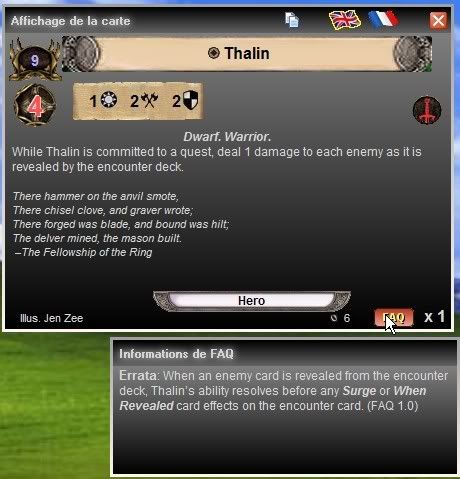
- The built-in semi-graphic card display and cards lists
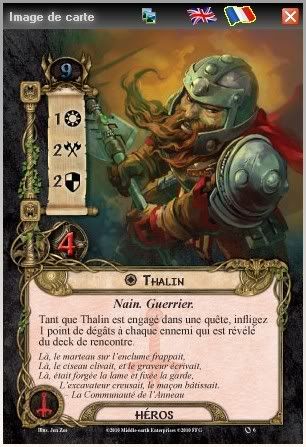
- The use of external picture libraries in one of the two languages.

It contains a complete database of the published cards in english and french, including FAQ corrections, flavor texts and illustrator names.
It displays cards in a compact manner to keep the software as light as possible.
This is the best spoiler list you may have at your fingertips.

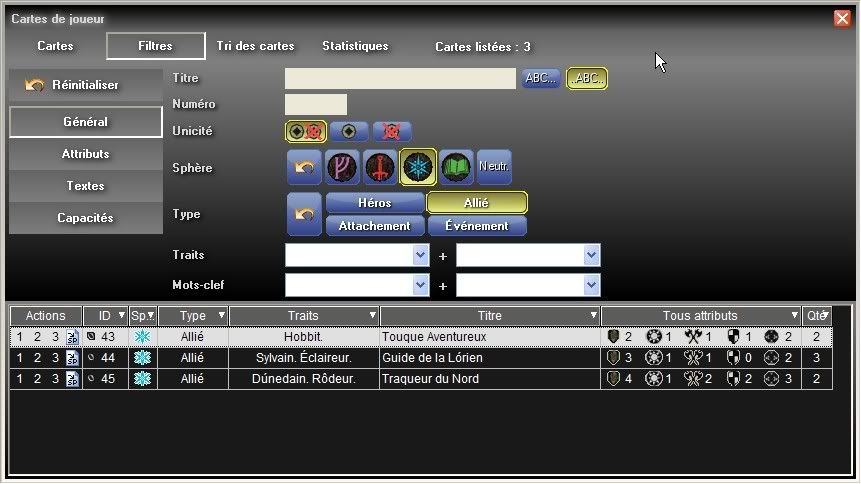
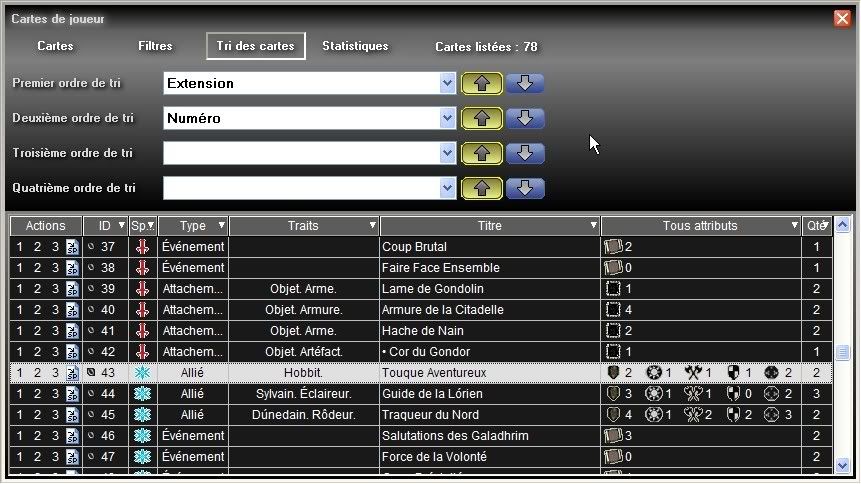
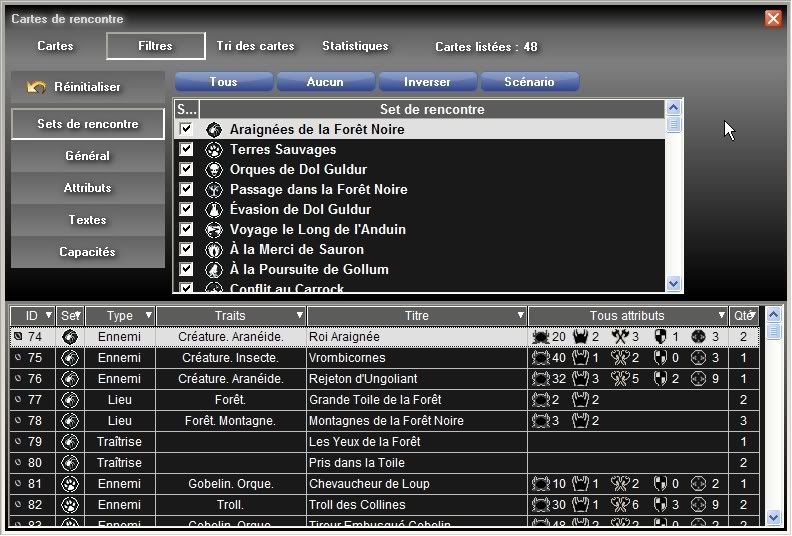
There are extensive filtering capabilities for player and encounter cards lists, custom sorting, full statistics, scratchpad for deck preparations and more.

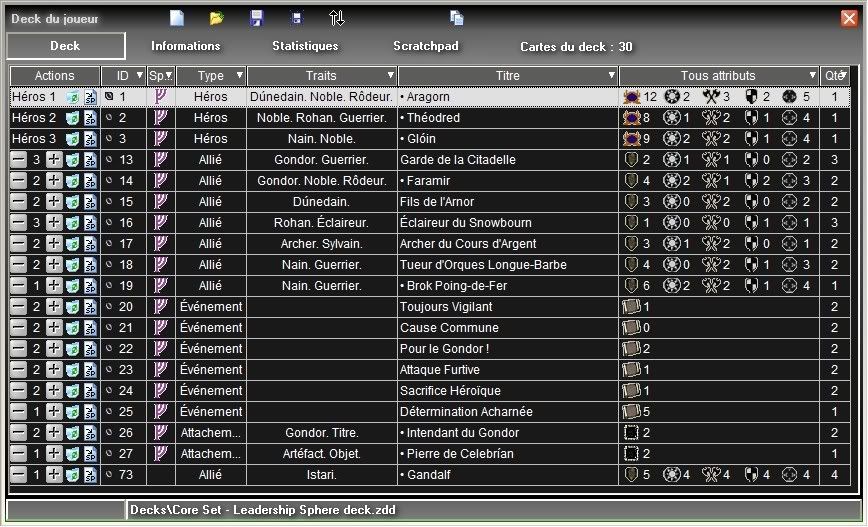
You can add cards to your deck with just one click and adjust quantities very quickly.

The deck list can be loaded, saved, exported (text-delimited, spoiler and html formats).

More features will be added to the software in the next weeks and months.

THIS SOFTWARE IS NOT SUPPORTED BY FANTASY FLIGHT PUBLISHING INC., so ask me directly for any support, suggestions or bug reports.

Happy deckbuilding

(Nyarla)Zorbec

FOR THE LATEST RELEASE NEWS, PLEASE READ THE LAST MESSAGES OF THE TOPIC
To complement the above description, here are some informations about the current version of the software.

Current version is Beta 0.7.0.

It is already stable and upward compatibility of deck files will be maintained in next versions.

Some features are not implemented yet in this beta version, but they will be in the next weeks and months, including:

- Deck printing
- Deck checking
- More single card, deck or cards lists export formats (spoilers, etc...)
- etc...

Also, I didn't had time yet to upload complete pictures packages for the software. This may come later.

Here are a few screenshots taken on the previous beta versions (click on the miniatures):

th_screenshot01_mainscreen.jpgth_screenshot02_optionsscreen.jpgth_screenshot03_scenquestsscreen.jpg

th_screenshot04_playersscreen_main.jpgth_screenshot05_playersscreen_filters.jpth_screenshot06_playersscreen_sorting.jp

th_screenshot07_encounterscreen_filters.th_screenshot08_deckscreen_main.jpgth_screenshot09_cardscreen_text.jpgth_screenshot10_cardscreen_pics.jpg

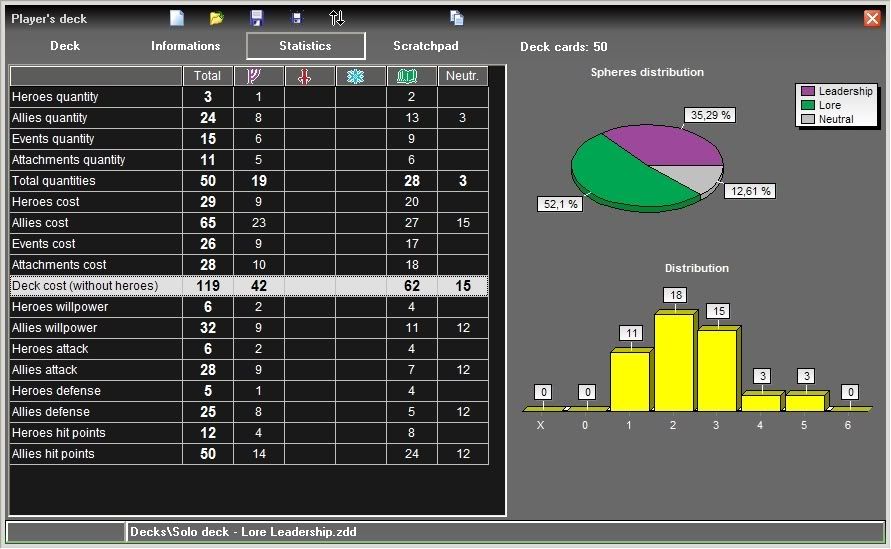
And a couple more showing some of the new statistics features added in version 0.7.0:

th_screenshot11_deckstatssummary.jpgth_screenshot12_deckstatsfull.jpg

Do not hesitate to comment !

Cheers,

Zorbec

Thanks a lot!

I'lltry it now

woow, Great job! thanks!

Thanks allot.

I have used your CoC Deckbuilder allready, and i will use this one.

A great tool that I'm already using to develop a deck. Many thanks.

Thank you for your appreciation happy.gif

The development continues and I will keep you informed of the next releases.

Meanwhile, do not hesitate to make suggestions and report any bug or card inaccuracy.

Stay tuned !

Cheers !

Thanx for the work you did! Just browsing the cards every now an then is really enjoyable!

Thanks a lot for the program! Now I'm wondering how to geto all cards picture! Any idea?

Thanks

cosmoccp said:

Thanks a lot for the program! Now I'm wondering how to geto all cards picture! Any idea?

Thanks

Have patience, a wizard is never late gui%C3%B1o.gif

I'm working on it...

Thanks for this tool now I know statistics of my deck ;) its really helpful.

Hi there, I´d really love your Deck Builder, if you like I´d be happy to translate it to German.

Alric said:

Hi there, I´d really love your Deck Builder, if you like I´d be happy to translate it to German.

Thank you for your kind offer. My immediate plans are to finish the implementation of all functions first.

Translations to other languages could require a major redesign of several things, but I may consider it as a future evolution. If you want to discuss it more, please contact me by email (see the readme.txt file).

Cheers !

Beautiful start to a wonderful little program.

Thanks so much for this!!!!

cosmoccp said:

Thanks a lot for the program! Now I'm wondering how to geto all cards picture! Any idea?

Thanks

Nyarla comes through again. You rock bud.

As for getting the card pictures, I happen to know from experience that if you have a scanner you can help him out a lot in this regard. (unfortunately mine is busted)

Hello,

Thank you for all the positive comments.

The new Beta version 0.8.0 is now available !

The first and greatest improvement is the availibility of images packs in both english and french.

Unlike the previous versions, there is not need anymore for a complex folder structure containing individual pictures. If you want to remove the few ones which were installed by previous beta releases, uninstall the old version before installing the new one.

Important note: The image packs are not included into the main setup program. Please, refer to the download page of the website for instructions to get and install these image packs.

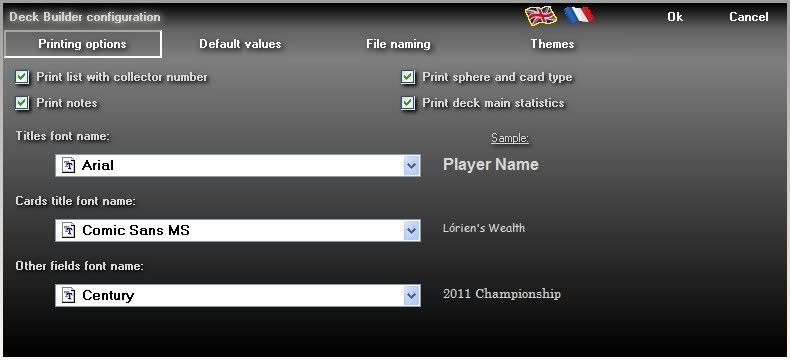
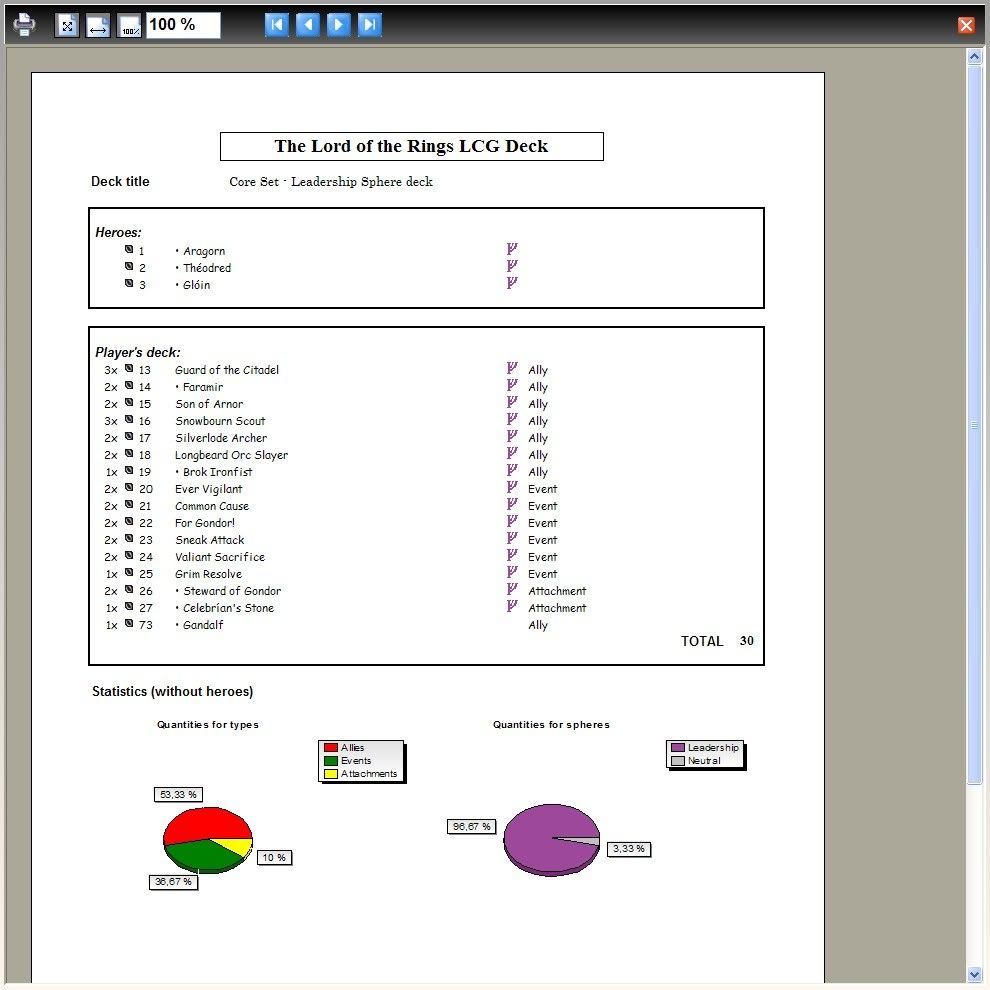
The second new functionality is the deck printing, optionaly including notes and main statistics.

You can click on the following picture to have a preview of the deck printing options and screen:

th_screenshot14_optionsprinting.jpgth_screenshot13_deckprinting.jpg

Finally, I performed a complete proofreading of all english and french cards.

The remaining features, still in the works, are:

  • Deck checking.
  • Last deck files list and deck files searching features.
  • Cards and lists export in spoiler format.
  • Card drawing tool.
  • etc...

The download link can be found in the very first post of this thread, or into my signature.

Have fun happy.gif !

Cheers !

Hi!

A really great programe but i don´t unterstand how to implantate the pics. I followed your introduce but nothing happens. How i have to activate the .bat file?

Is it neccessary to reinstall the mainprograme or only to install the pics.bat file?

Beornd said:

Hi!

A really great programe but i don´t unterstand how to implantate the pics. I followed your introduce but nothing happens. How i have to activate the .bat file?

Is it neccessary to reinstall the mainprograme or only to install the pics.bat file?

These image packs are features introduced with version 0.8.0. So yes, you should install the latest version of the Deck Builder first gui%C3%B1o.gif

Cheers !

HOLY COW this is an awesome program Much easier to keep all of the decks my friends and I have made really like

GOOD JOB

Hello !

A new version 0.8.5 Beta is now available !

New things for this version are :

  • Added menu to load last edited decks.
  • Added deck checking.
  • Added deck drawing simulator.
  • Improvement of memory usage (much less!) and screens refresh speed (much quicker!).
  • Bugs corrections.

Here is a quick description of the Deck screen top buttons (new options are in bold text) :

screenshot15_deckbuttons.jpg

  1. New deck (ask to save current one, if necessary)
  2. Open a deck
  3. Access to the last edited decks list for quick reload (will contain the deck search option later)
  4. Save current deck
  5. Save current deck as another file
  6. Sort deck
  7. Check deck validity
  8. Card drawing simulator
  9. Export the current deck in text or html formats
  10. Print the current deck

There is no new cards into the database yet. I'm waiting for the first adventure pack...

Let me know if you like it, or if you find any bug or have any comment.

Cheers !

Hello,

A quick fix version 0.8.6 is now available.

It corrects two bugs, the first one being particularly nasty:

  • Correction of saving bug when at least one hero is empty.
  • Correction of total card count display of the player's cards screen while the statistics page is active.

Cheers !

Hello,

Is there anyone who can make scans of The Hunt for Gollum cards in english and send them to me for a quick update of the DeckBuilder ?

I will buy the french pack next week, but my english pack will take much more time to come...

Any help is welcome. Please answer by email at (replace # by @) : zorbec.lotr#free.fr

Cheers,

Zorbec

Hello,

A new version of the LOTR LCG DeckBuilder for Windows is now available.

This version 0.9.0 is probably the last Beta, most of the features being implemented and stabilized.

Here are the news:

  • Added cards of The Hunt for Gollum adventure pack.
  • Added first published cards of next adventures packs.
  • Added errata from FAQ 1.1.
  • Added the deck finder/import tool.
  • Added uniqueness filter to encounter cards.
  • Correction of progress screens aspect.
  • Several corrections applied to filters.

I am still waiting for my The Hunt for Gollum adventure pack in english to arrive home.
That's why the english image pack is not complete yet. If you can provide some scans of the english packs, do not hesitate to send me an email. Any help is welcome !

I will now give you some details about the new deck Finder/Import tool.
This screen permits to search your decks depending on their contents, then open one found deck or copy part of it into the current deck.

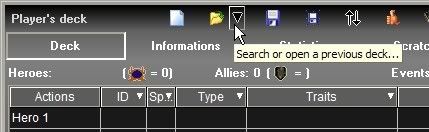
To open this screen, click on the history & finder button as shown below:


screenshot16_historyfinder.jpg

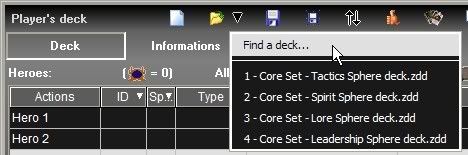
Then, click on the Find a Deck... option, as shown below:

screenshot17_deckfinder.jpg

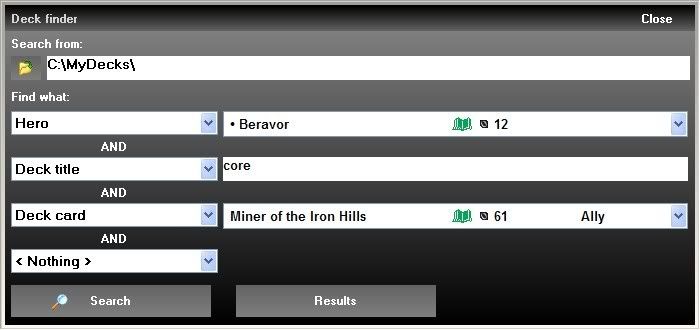
The Deck Finder screen opens, as shown below:

screenshot18_deckfinder.jpg

  • First, you should select the base folder where you store your deck files. To do this, click on the button on the left of the "Search from" path display.
  • Next, you can define up to 4 search criteria which can be a hero card, a deck card, a word or sentence in the deck's notes or any text in the information fields of the deck.
  • Then, press the "Search" button to find the corresponding decks. If no criteria are selected, all decks will be checked and listed.
  • The "Results" button only appears after a first search run with at least one deck found to bring you back to the previously found decks.
    If you exit the Deck Finder and come back to it, it will keep the results of the previous search (but not if you exit from the DeckBuilder itself).

The Results display is shown below:

screenshot19_deckfinder.jpg

  • The list on the left shows the found decks. Select one to display its contents on the right part of the screen.
  • The list on the right shows all informations, heroes, deck cards, scratchpad cards and notes of the deck. If you select a line with a card, the card is displayed the usual ways, like other screens.
  • You can stop the search by clicking a button not shown here.
  • The "Open deck" button will try to open the selected deck into the DeckBuilder and close the Deck Finder. If a modified deck is already open, the software will ask you what to do.
  • If you want to take only part of the selected deck, you can use the copy buttons for general informations, notes and complete heroes or deck cards contents. The positions/quantities buttons are also available for heroes/deck cards to make a partial import of data.

Be carefull with the partial import features : it does not ask anything if you had a modified deck already open.

I hope you'll find the DeckBuilder useful. Do not hesitate to drop a comment or suggestion.

Have fun !

Zorbec

Hello,

I am pleased to announce that the DeckBuilder version 1.0.0 is now available !

The program is now stable, so there is no need to continue the Beta phase gui%C3%B1o.gif

Many thanks to Drew of www.cardgamedb.com and to Jon, author of the Lackey plugin, for the english scans of the latest extensions.

The new features are:

  • Added cards of Conflict at the Carrock adventure pack (english & french).
  • Added cards of the GenCon scenario Massing at Osgiliath (english only).
  • Added first published cards of next adventures packs.
  • Redesign of the Scenarios/Quest screen with foldable scenarios contents.
  • Added experimental deck export format for Lackey.
  • Correction of minor bugs.

The image packs are updated and available on the download page, as usual.

Have fun and let me know if you find it useful.

Cheers,

Zorbec

Thanks Nyarlazorbec. I was hoping for something like this.