For any with experience with recording matches.. What kind of set up did you use to get the overhead view to record a match? What did you use as a tripod? what kind of camera?
Game recording setup??
I'm toying with a streaming setup, which is pretty much the same thing (but with more connectivity and less storage!). I am currently using a very nice tripod from my photography hobby, a "selfie stick" (I hate that term - for me, a selfie stick is anything i can use to smack someone I catch taking a selfie!  ), and a high end Logitech USB webcam. The tripod goes next to the table, the stick attaches to it and reaches over the board, and the web cam goes on the end of the stick. I connect the camera to my laptop (Lenovo x260 running Linux Mint) and use OBS for streaming and xhud (my other hobby project) to generate overlays.
I do appreciate this topic though. What are you all using?
sirjorj
1 hour ago, sirjorj said:I'm toying with a streaming setup, which is pretty much the same thing (but with more connectivity and less storage!). I am currently using a very nice tripod from my photography hobby, a "selfie stick" (I hate that term - for me, a selfie stick is anything i can use to smack someone I catch taking a selfie!
I do appreciate this topic though. What are you all using?
sirjorj
Thanks for the note and idea of the selfie stick and webcam. I'm just looking for a cheap way to record so I can go back and watch matches to see our mistakes and learn. I've got a good tripod for my camera and a Macbook so a selfie stick and a decent webcam should work right? Just record using something like iMovie?
I went with this one: https://www.amazon.com/gp/product/B01DY0A6E2/ref=oh_aui_detailpage_o09_s00?ie=UTF8&psc=1 (though it looks like it is currently unavailable)
The handle has the threaded hole that can screw into a standard tripod base and the end has the same kind of screw to attack to your camera.
Upper tier (as in, right around $100) Logitech webcams have the threaded hole so it all works.
Depending on what camera you use there are different solutions, but basically you want to add to your tripod a horizontal camera mount. Something like this:
And don't forget to use some counterweights and maybe extra weight on the tripod base as well, depending which camera gear you want to use. Technical even a smartphone or webcam will be decently enough for video, though personally I think a camcorder or DSLR/EVIL will do a better job, especially with focusing. If you need to shop for a camera, I would make sure that it can either be connected and control via a PC or Smartphone or at least have an articulating touchscreen, so that you can see what you record and adjust the focus easily. 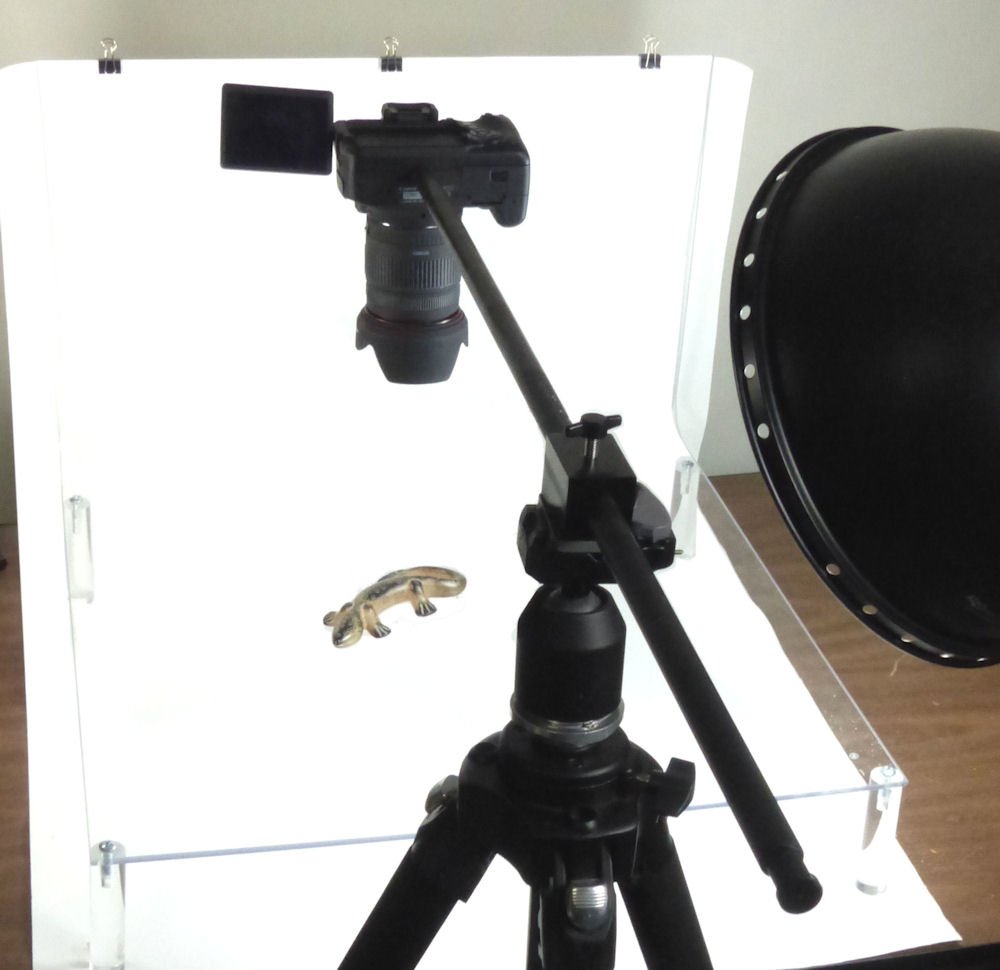
Another option would be to use directly a boom stand (not recommended), some camera crane or simply an extender arm, like the one below. The Extender arm has the advantage of allowing you to adjust the arm for some pretty nice perspectives if you are going for the standard perspective from above. 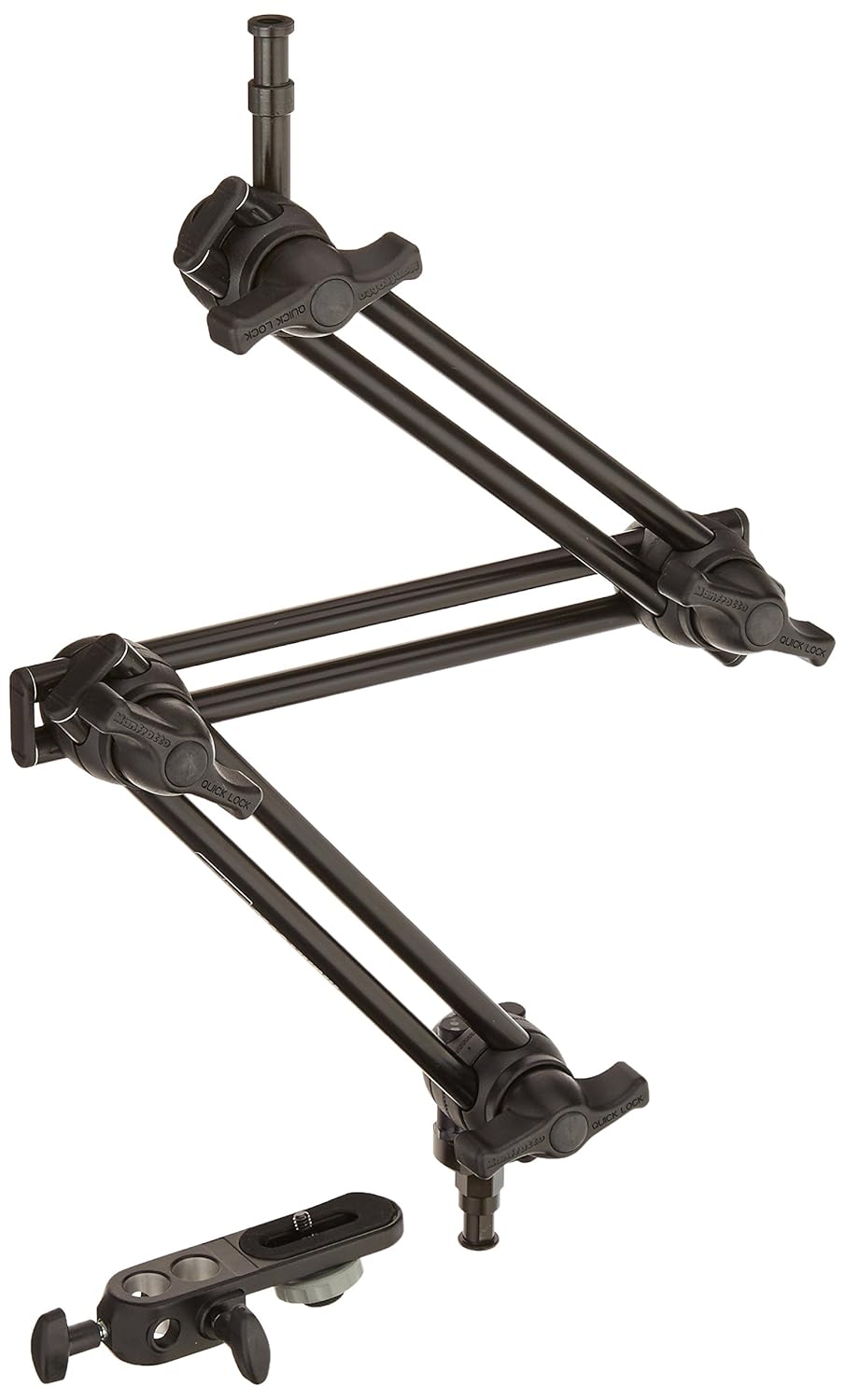
If you go with a lightweight camera, no need to buy an expensive, super sturdy one like the above double arms, this really depends on your camera setup. And again, don't forget that you might need counterweights. This really depends on your specific setup.
Or you know, just use a table tripod and go with a more angular perspective, that's basically fine too, just not as nice and smooth for your overview.
Here btw a magic arm with a super clamp in action: (edit: And don't be shocked by the price, this is for heavy setups, which you most likely don't need, there are about $50 magic arms as well)
Edited by SEApocalypse
13 hours ago, SEApocalypse said:Here btw a magic arm with a super clamp in action: (edit: And don't be shocked by the price, this is for heavy setups, which you most likely don't need, there are about $50 magic arms as well)
Cool ideas! Thanks.
This reminded me that I had a tripod flash umbrella set in the attic I've not used in years similar to this: https://www.amazon.com/ePhoto-K103-Lighting-Umbrellas-Fluorescent/dp/B003110OEW/ref=sr_1_176?ie=UTF8&qid=1504266979&sr=8-176&keywords=flash+tripod+umbrella
So, I'm thinking all I need is a cheap extension arm similar to this: https://www.amazon.com/Impact-Extension-Grip-Arm-Black/dp/B00AE1LKJ0/ref=sr_1_4?s=electronics&ie=UTF8&qid=1504267956&sr=1-4&keywords=extension+grip+arm
Then some sort of camera. Either an inexpensive webcam or the GoPro I've been eyeballing.
I like the DSLR idea but that does add some complexity. To use my 5DmkIII for this, I would need hdmi capture hardware (which I do have, but it doesn't have Linux support), an AC power adapter, and a better boom, as that camera is quite a bit heavier than a webcam.
And before you say 'just use Windows or Mac'... well... Mac has gone downhill a lot in the last few years, and Windows is just not compatible with me! 
1 hour ago, sirjorj said:I like the DSLR idea but that does add some complexity. To use my 5DmkIII for this, I would need hdmi capture hardware (which I do have, but it doesn't have Linux support), an AC power adapter, and a better boom, as that camera is quite a bit heavier than a webcam.
And before you say 'just use Windows or Mac'... well... Mac has gone downhill a lot in the last few years, and Windows is just not compatible with me!
Just use a VM.
Though I was not really thinking about using a HDMI recorder, 30 minutes of video is imo long enough to justify using 3 files, iirc the 5D III does not overheat, especially not on 1080p30FPS footage . For analysis use that is enough, if you want to stream, I think all tethering software that supports video is indeed not avaible for linux. iirc dark table and Entangle doesn't support video and investing into a linux compatible capture card might indeed not worth the better picture quality. Those are iirc about $300 these days. decent webcam will be about $100, maybe $200. Might be still worth to check if video is supporter in the linux tethering software.
Though your 5D III has awesome low light performance, ok video quality, most likely great lenses, better focus, even when it lacks this awesome dual-pixel autofocus.
Timelapse video might be btw a good option for x-wing as well, you get a much more fluid representation of the game. Watching the full 75 minutes is rarely a good idea, so you usually want to skip forward between turns anyway.
Edit: And as I said, using a smartphone on a tripod / boom stand might be the simplest and easiest solution. You can directly stream from those and they are super lightweight which beams even a boom /selfie stick with a smartphone holder should work like a charm
I tried the VM solution earlier this week - OBS didnt run because it didnt find adequate video hardware.
Also, bonus point for having heard of DarkTable!
For me, the ~$100 Logitach webcam i have is good enough for now. I also have a dice box I painted bright blue - I was intending to experiment with chroma-keying it over everything, but instead I added the ability to enter dice results into xhud, so I guess I now have an obnoxious-looking dice tower box for nothing!
Speaking of heard of. There is always magic lantern, it should remove the 30 minute video limit.
Edited by SEApocalypseI toyed with ML when I had a T1i. Haven't had the guts (or need, really) to put it on the 5d.
It's not the size limit that is the issue for me - I'm streaming, not recording.