Playing Vassal solo...

By landorl68, in Star Wars: Armada

I was trying to play Vassal solo. New to using it.

It seems to me that it takes even longer than setting up a game table and playing on that.

Does anyone use it for solo gaming (testing tactics and builds and such)?

If so, how do you go about speeding it up?

It is a lot faster to clean up! :)

I always use it to scout out new fleets. With practice it is actually faster than the tabletop only because of ease of measuring. What slows it down is typing for communication.

So when you get good at it its pretty efficient to test things out solo.

btw you need to learn how to save fleets. That really helps.

Vassal - Saving fleets:

1. Put all of your stuff on the table.

2. File - Begin Logfile and name it.

3. Select all of your fleet and delete it.

4. Undo. (Your fleet should pop back up.)

5. End your logfile.

Now you should be able to load your favorite Imperial Fleets to crush the rebellion!

I was trying to play Vassal solo. New to using it.

It seems to me that it takes even longer than setting up a game table and playing on that.

Does anyone use it for solo gaming (testing tactics and builds and such)?

If so, how do you go about speeding it up?

It's a good question to ask!

The TL;DR answer is: practice, practice, practice.

Seriously, once you have a few games under your belt, you'll start to remember the most important hotkeys and things will go much faster.

Regarding setup: learn to use the quick-spawn tokens. Those are the big rebel/imperial symbols on the table. Just right-click them to bring up objectives, squadron and ship cards. From the cards you can quickly spawn ships and squadrons - and from the ship cards every upgrade in the game. It's superfast once you get the hang of it - couple of minutes to an entire fleet, tops. Then remember the default setup button, which sets shields, defense tokens etc automatically.

After you have a fleet ready - save it as a logflie like Caribbean described. It can now be brought back in 2 seconds. It can also quickly be change - and saved under a new name if you want to keep multiple versions.

You might also want to check out my vassal tutorial vids (on the Facebook group). There are some more tips there.

It is a lot faster to clean up! :)

I always use it to scout out new fleets. With practice it is actually faster than the tabletop only because of ease of measuring. What slows it down is typing for communication.

So when you get good at it its pretty efficient to test things out solo.

btw you need to learn how to save fleets. That really helps.

Typing for communication is the #1 reason I don't like playing on Vassal.

Please, do the world a favor and get on modern times by getting a mic and VOIP.

I agree that VOIP speeds up a game. The only downside is that I can't crank music while playing that way. I know, there are ways to get around this but I don't really like to wear headphones and a mic for the time a game lasts.

It is a lot faster to clean up! :)

I always use it to scout out new fleets. With practice it is actually faster than the tabletop only because of ease of measuring. What slows it down is typing for communication.

So when you get good at it its pretty efficient to test things out solo.

btw you need to learn how to save fleets. That really helps.

Typing for communication is the #1 reason I don't like playing on Vassal.

Please, do the world a favor and get on modern times by getting a mic and VOIP.

Skype. Teamspeak. Discord.

Multiple options.

I was trying to play Vassal solo. New to using it.

It seems to me that it takes even longer than setting up a game table and playing on that.

Does anyone use it for solo gaming (testing tactics and builds and such)?

If so, how do you go about speeding it up?
First up, I love Vassal, so good work Green Knight! Please keep it up!

I do find it easier to set up and take down than a regular game (plus you can save a game for an indefinite time period)

I also play a lot of solo play on Vassal as getting in actual games of Armada is difficult for me, plus my internet connection speed isn't consistent enough for me to brave an actual Vassal game against another player. Solo play's got some serious draw backs but is still loads of fun and has taught me lots about how not ​to fly my fleets.

Having said all that, the speed issue is an issue for me. Notably moving ships. Don't know what it is, maybe it's just my computer, but moving a ship can be a slow and laggy process. Getting a ship from initial position to the fourth notch can sometimes take 5 seconds and sometimes take 40 (which if you ever stop to count it out, is a long time). And it's not because I'm not using the hot keys or because I haven't hit them properly. The program will sometimes just freeze after I give it the command to move a notch and I've just gotta give it 10-20 seconds to work it all out. (Hull and shield adjustments can sometimes do the same.)

And that's when I begin to daydream about playing real Armada, where I can just pick up the ship and put it down where it's supposed to go.

Won't stop me from using Vassal though. It's still great.

I was trying to play Vassal solo. New to using it.

It seems to me that it takes even longer than setting up a game table and playing on that.

Does anyone use it for solo gaming (testing tactics and builds and such)?

If so, how do you go about speeding it up?

First up, I love Vassal, so good work Green Knight! Please keep it up!

I do find it easier to set up and take down than a regular game (plus you can save a game for an indefinite time period)

I also play a lot of solo play on Vassal as getting in actual games of Armada is difficult for me, plus my internet connection speed isn't consistent enough for me to brave an actual Vassal game against another player. Solo play's got some serious draw backs but is still loads of fun and has taught me lots about how not ​to fly my fleets.

Having said all that, the speed issue is an issue for me. Notably moving ships. Don't know what it is, maybe it's just my computer, but moving a ship can be a slow and laggy process. Getting a ship from initial position to the fourth notch can sometimes take 5 seconds and sometimes take 40 (which if you ever stop to count it out, is a long time). And it's not because I'm not using the hot keys or because I haven't hit them properly. The program will sometimes just freeze after I give it the command to move a notch and I've just gotta give it 10-20 seconds to work it all out. (Hull and shield adjustments can sometimes do the same.)

And that's when I begin to daydream about playing real Armada, where I can just pick up the ship and put it down where it's supposed to go.

Won't stop me from using Vassal though. It's still great.

Lag when moving ships was pretty bad in the string of beta and semi-beta builds I had last fall. But with the more recent versions you should not experience too much lag. You might still get it from time to time, but it should not really be a problem anymore.

(reason for lag: the complexity of the Armada module, coupled with how vassal does calculations)

Aye, that was a bad time for armada modules. It is SOOOOOOO much better now. Doesnt hang at all for me anymore.

My number 1 piece of advice, if in doubt, right click.

Aye, that was a bad time for armada modules. It is SOOOOOOO much better now. Doesnt hang at all for me anymore.

My number 1 piece of advice, if in doubt, right click.

Right-clicking has another advantage too: if you do it, you get to see all the hotkey combination in the menu that pops up. Great for learning new tricks!

Thank you for the awesome Armada modules, Green Knight.

When using Vassal, my computer lags a ton, usually 5 seconds for placing the movement tool, changing health/ shields, moving ships, etc. Despite using hot keys all the time, it is slow and aggravating.

I am usually running it through a thumb drive on a work supplied surface 3. Any recommendations on computing requirement for a faster Vassal experience?

39 minutes ago, Dupy said:

Thank you for the awesome Armada modules, Green Knight.

When using Vassal, my computer lags a ton, usually 5 seconds for placing the movement tool, changing health/ shields, moving ships, etc. Despite using hot keys all the time, it is slow and aggravating.

I am usually running it through a thumb drive on a work supplied surface 3 . Any recommendations on computing requirement for a faster Vassal experience?

The 2Gb or 4Gb RAM version? If you're not sure:

Win+R > dxdiag

or copy paste the following into PowerShell (all one line):

$sum = 0; gwmi win32_PhysicalMemory | select -Property capacity |% {$sum += $_.capacity}; $sum

You'll probably have issues running it on the 2Gb version because your OS is going to eat up a lot of those resources. If you have the 4Gb version, you might try the procedure mentioned here to increase your memory allocation. If you have space on the hard drive, you'll probably also get slightly better performance in some regards by putting it on there rather than running directly from the USB.

Ultimately though, you're not going to get a very smooth experience playing on a Surface, unfortunately--they're just not very high-horsepower machines, and Vassal is not the most efficient software out there.

I've played Vassal on a super janky haxx0rd Chromebook before--I feel your pain. :/

6 hours ago, Dupy said:

Thank you for the awesome Armada modules, Green Knight.

When using Vassal, my computer lags a ton, usually 5 seconds for placing the movement tool, changing health/ shields, moving ships, etc. Despite using hot keys all the time, it is slow and aggravating.

I am usually running it through a thumb drive on a work supplied surface 3. Any recommendations on computing requirement for a faster Vassal experience?

RAM is a factor with Vassal. Do you have enough?

10 hours ago, Ardaedhel said:

The 2Gb or 4Gb RAM version? If you're not sure:


Win+R > dxdiag

or copy paste the following into PowerShell (all one line):


$sum = 0; gwmi win32_PhysicalMemory | select -Property capacity |% {$sum += $_.capacity}; $sum

You'll probably have issues running it on the 2Gb version because your OS is going to eat up a lot of those resources. If you have the 4Gb version, you might try the procedure mentioned here to increase your memory allocation. If you have space on the hard drive, you'll probably also get slightly better performance in some regards by putting it on there rather than running directly from the USB.

Ultimately though, you're not going to get a very smooth experience playing on a Surface, unfortunately--they're just not very high-horsepower machines, and Vassal is not the most efficient software out there.

I've played Vassal on a super janky haxx0rd Chromebook before--I feel your pain. :/

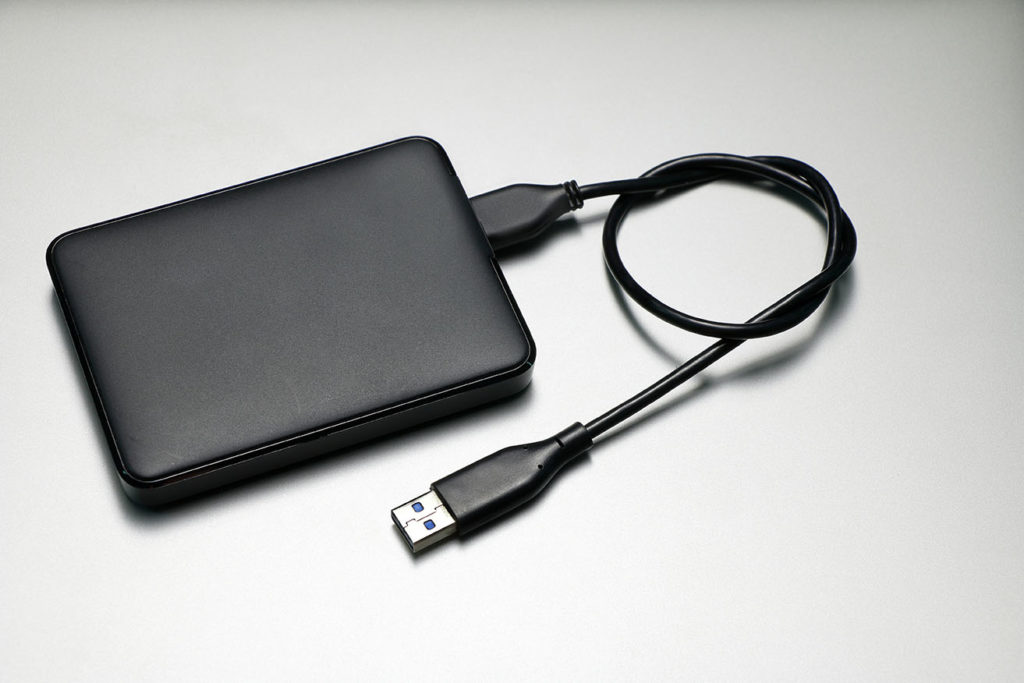
Wait, you can run programs from hard drives? Is that just storing them there but still installing it on the computer, or can you run it from the hard drive without installing it on the computer? I imagine the former, right?

7 hours ago, GhostofNobodyInParticular said:

Wait, you can run programs from hard drives? Is that just storing them there but still installing it on the computer, or can you run it from the hard drive without installing it on the computer? I imagine the former, right?

Pretty much everything that stays on your PC when you turn off the power is on your hard drive , my man. Sounds like you might be thinking of an external hard drive , in which case it depends on some design choices of the software in question.

The nature of Vassal makes it pretty easily portable, so yes, you can just stick it on a thumb drive or external hard drive and execute it directly from there. In most cases, though, you'll probably see a noticeable performance decrease, at least at startup when it's loading everything up, because drive read/write times over USB are ( usually ) slower than those internal to your PC.

I am running it off of a thumb drive:-)

As it is a work computer and thus, locked down. But, it will run applications straight off of a thumb drive plugged into the USB.

I believe it is the 4 GB version, but sloooooww.

Has anyone tried running it on a stick computer? I travel for a living and get most games in on the road. Already carrying a work comp, don't have room for my 10 year old laptop. Which is no faster anyways?

You guys need to get friendly with the IT guys... Plz can I get more ram... Plz can I get admin rights to my pc...

I will sure try upgrading the ram in preferences when I head back to work. Thanks!

16 hours ago, Ardaedhel said:

Pretty much everything that stays on your PC when you turn off the power is on your hard drive , my man. Sounds like you might be thinking of an external hard drive , in which case it depends on some design choices of the software in question.

The nature of Vassal makes it pretty easily portable, so yes, you can just stick it on a thumb drive or external hard drive and execute it directly from there. In most cases, though, you'll probably see a noticeable performance decrease, at least at startup when it's loading everything up, because drive read/write times over USB are ( usually ) slower than those internal to your PC.

Yep, external hard drive. Sorry for the lack of clarification.

Thanks!

I try not to play on vassal solo. I play a lot of physical armada solo, so vassal is my chance to play other humans in armada.

I did play a few games solo when I was first learning, but mostly I found opponents willing to take it slow and teach me.

For isntance, @Maturin was one of my first opponents ever and helped walk me through vassal in a super slow game that took forever. He was incredibly patient with me, and now I try and do that with anyone who wants as well.

2 hours ago, Dupy said:

Weird. It doesn't say edited, so no content was removed, but there is nothing there. I didn't know it was possible to post without content.

Having just tried, it isn't letting me. . . what happened there?

Edited by GhostofNobodyInParticular

Edited by Ginkapo

special skills