Board Maker - Opinions wanted

By talismanisland, in Talisman Home Brews

Just a quick post to ask what people might expect from a board making plug-in for Strange Eons.

I have in mind to make a generic board made from rectanglular spaces, which can have a scroll for instructions either on the short side or the ling side. Spaces intended for corner use will have a special corner scoll.

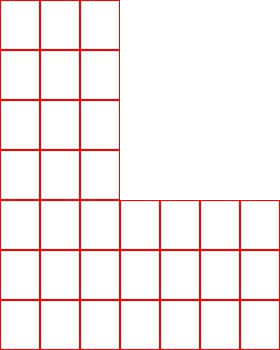
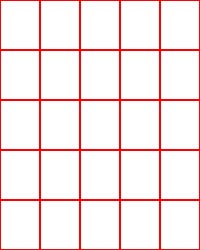
Using SE you can then form these into any shape of board for you game -
board_example_1.jpg

board_example_2.jpg

board_example_3.gif

ETC

Each space would have the option of being blank, or having a portrait image behind the scrollwork.

Thoughts??

Sounds interesting, but I would wonder about two things.

First, image resizing in SE. For a small card, it's not so bad, but the larger the dimensions of the output, wouldn't the 150ppi be rather fuzzy?

Will the boardmaker have a way to designate the size of spaces, or will they be just the size and dimensions of a card?

Also, if it will allow to make boards just like TimeScape or mix TS kind of a board with classic board?

Is in that plug-in the number of spaces somehow limited (of course I'm saying about small or normal numbers, not for example max amount of spaces is a million).

Not sure about the quality at larger size, but I think it would be okay. For size I think around the size of a standard playing card would do, but will experiment. It would be good to have the card sit in the middle of the space, but without going to the large size of the current board.

As to Timescape-style spaces, that would be entirely possible, but that would be later...

As to the quality issue, from what I understand, SE takes stuff in at 150ppi then enlarges it to 300ppi upon print / output. If the graphic going in is already at 300, that's a reduction and then and enlarge... lots of degradation. I'm only guessing, but it just seems to me that in a larger unit like a space it might be more noticable than what comes out for a card.

I haven't worked with SE in many months, so I don't remember its capabilities. But I see you have to fight with some problems in using rectangular spaces should any board design be more like the mainboard (spaces around) rather than the corner boards (spaces on a back and forth path).

Minimum size for placing a card would be 2.5h x 1.625w in inches for a perfect zero tolerance fit. Add 0.25 tolerance brings it to 2.75h x 1.875w minimum. Text ribbon/scroll needs at least an inch, so now up to to 3.75h x 1.875 on the top and bottom rows, and 2.75h x 2.875w on the sides. To even them out to all the same size (an absolute for the layout style you're using), that's 3.75h x 2.875 wide.

I wrestled with this about 2 months ago when I started designing an economy sized board, a square one instead of a rectangle. Why? Because no matter how you work it, the rectangular space configuration requires enlarged size by these methods if you have to keep side and top/bottom measures matching for layout. ... such as your layout requires. Yes, you could do different sized spaces to feed into the layout, but it would be a nightmare to script and a pain for people to learn to use.

My suggestion is that you may want to consider square spaces at 2.75" sq. or upto 3"sq. A square vs. rectangle space is going to save a lot of headaches later one, at least for some who use it, if not for you too.

Hi Jon,

Good to see that you're taking this on. A few thoughts/responses:

Limitations:

Component size: A game component in SE can be any practical size. The theoretical limit is on the order of about 132 000 km² . The basic physical dimensions are determined using the size of a template image and the resolution that is stated for it. The template image is usually the "background" of the card, but it can also be a dummy image if you are doing something tricky. Using certain settings you can also create variable-sized cards (see below).

Number of components: The plug-in would introduce no special limits on the number of spaces or other components that could appear in a deck. However, you might need to increase the amount of memory allowed to the program in order to place a large number of spaces with hi-res portraits in a single deck. There is a hard limit of about 2.1 billion items on a single page, but you're going to hit other walls long before you reach that.)


Board Pieces:

For sure allow the option of a transparent piece with just the scroll and dividers. That way, you can place one large backimage as a single unit and then lay down squares on top of it.

Since I'm not terribly familiar with the "standard" size or layout of board spaces I can't say what the best option is in terms of size or aspect ratio. But I can throw out a few general options:

It is possible to create pieces that can vary in size up to some maximum, so you can in theory allow arbitrarily-sized spaces. Internally, this works by setting a special "variable size" flag. Then after you draw the component, SE trims away any edges where you didn't draw anything. As you may expect these extra steps slow down drawing a bit while editing, but in practice it works well enough. The marker/token editor and (Arkham Horror) location editors both make use of this feature.

If you want to allow variable-sized spaces, then one way one could do it while still keeping the problem of laying out a board manageable is to pick a useful measurement as a unit size and then size the spaces in terms of those units. I'd suggest using the height of the scroll as your unit. Then you might allow cards to be anywhere from (say) 3 to 6 units high and 3 to 8 units wide. Now the designer has some choices for size but it is still easy enough to plan even a complex board out on a piece of graph paper. If it is important to be able to create a board the same size as the original (or an expansion) board, then I suggest that you tweak the unit value a bit so that it divides about evenly into the width or height. (It isn't that big a deal if the actual scroll height then works out to be something like 1.2 units). The final size of the board can easily be off by 10 or even 20 points without being noticeable, so take some liberty and massage the numbers a bit if needed.

Another way to allow the designer some flexibility would be to go with the idea of square spaces but include an additional type of space that consists of two spaces side-by-side, with the designer allowed to move the dividing line between them, up to and including the point that you have a single space that is two squares wide. Laying out the board is still simple (all components are either 1×1, 1×2, orif rotated2×1 units), yet the designer still has the flexibility to do some creative things with the layout. You can make the corner pieces 1.5 units high and wide to give them a bit of a bend, as the corners come in pairs so you'll always end up adding 1 full unit between them:

boardzi.png

Resolution/Quality Concerns:

I'm not sure if you are talking about the templates for the cards (the scroll art in this case) or the portraits. The templates are traditionally 150 DPI but they don't have to be. The choice of 150 offers a nice balance between print quality, download size of the program (or plug-in), memory use, and drawing time while editing the card.

Regardless of the resolution of the template, SE always renders at whatever resolution is being requested. So portraits, text, and the like are not restricted to the resolution of the template image. There is no two step process of scaling down, then scaling up. Any given image that is drawn as part of creating a card is scaled at most once.

I can see how you might get the idea that everything is being drawn at 150 DPI, because you always use the units of the template image when drawing. But behind the scenes, SE is actually scaling the coordinate system for you to that 1 unit in the output space is always 1 pixel in the template image. So if you have a drawing command that says "draw a 1 pixel thick line from (0,0) to (75,150)" and you export the card at twice the resolution of the template image, your command is magically changed to "draw a 2 pixel thick line from (0,0) to (150,300)" without you having to do any additional work.

With a bit of effort there are simple tricks you can use to bump up resolution when you want to. For example, when painting a card face you could check the resolution it is being drawn at and then substitute a higher resolution version of the template image when applicable. That would keep editing reasonably interactive while producing the higher quality output.

In my experience, it is not the size of the output but how closely players need to look at it that determines whether they notice any fuzziness. A case in point, and the only case that I found it useful to use any resolution tricks similar to one mentioned above, is the monsters for Arkham Horror. Monsters are printed on small square pieces of cardboard. They sometimes include descriptive quotes or special rules, and the size of this text is very small. As a result, players tend to pick them up and inspect them closely in order to read the text. The first version I did for monsters in SE used 150 DPI graphics made from scans. The monsters are printed on textured paper, so the scans were not great to begin with. Combine that with their 150 DPI resolution and players needing to look at them closely, and the the results were not what I wanted. So I did a second set of graphics that I drew myself at 300 DPI instead of scanning. Since the template was still 150 DPI, when drawing the graphics I just draw them at half their actual width and height. (Notice what happens if you print at 300 DPI: the half width and height get "secretly" multiplied by 2 andta dayou get the full 300 DPI graphics.)

Cheers,
Chris

Thanks for the technical stuff, Chris. Very enlightening.

Holy Necro Bump Batman!

I wanted to revisit this thread for a bit more discussion.

I have a couple of things in mind for the board maker, but I have to plot them out in my mind for a while first -

I would like to make standalone boards, for little side quests and the like.

I want to be able to make boards that mirror official ones, so something akin to the Dungeon board in layout.

It would be good to make replacement individual spaces easily, so standard size spaces will be necessary.

I want to be able to make a replacement Inner Region, in a similar fashion to the replacement spaces.

So, that would need three or four "styles" of space combinations. Not really too big a job as once one option is complete the rest is easy enough to accomplish.

More as I think of it.

Here is a reduced size example of a board space (Outer Region) from my incomplete economy board. Background is still crude as I haven't finished with it.

space.jpg

Scrollwork detail varies from space to space and can be rigged for any space width (or height). Four different corners are also available. Ends of scrollwork mesh perfectly from space to space. Background can be left transparent for artwork. River (top) and ocean (bottom) can also be left out for other forms of division or be replaced with borders/zones like the sides for simpler row by row mesh. Just a notion I thought I would share.

This is all original work... no graphics from any edition of the game or from any other outside sources.

I'll give you a shout when I am about to start looking at this again. I am taking a little rest from SE for the minute after a frenetic couple of weeks of updating. I have some stuff in mind, but will ponder them some more until I am clear how to do some things.

Okay. Nothing particular in mind, just that I have some stuff, pieces of which might be of some use. No schedule.