The title says it all. I can't find any help info about.
Thanks,
Archie
The title says it all. I can't find any help info about.
Thanks,
Archie
Click on the icon the arrow's pointing at and type in the picture's URL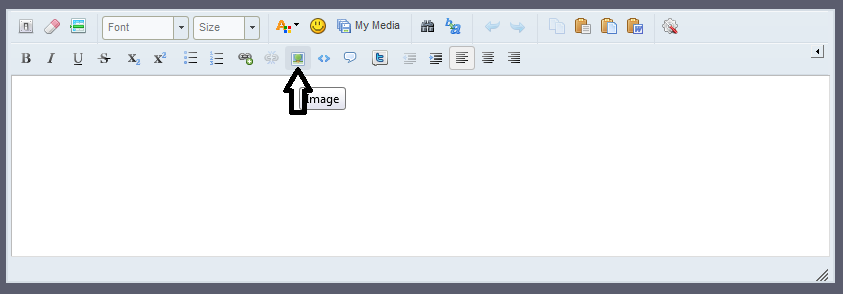
And imgur is a good place to upload pictures to.
Click on the icon the arrow's pointing at and type in the picture's URL
I tried looking at others pics but couldn't figure out if there was a good place to have them.
I looked at flickr.com but I couldn't just get the pic, I got the whole page.
Archie
right click the picture then depending on what browser you use, you can find and copy the URL, in IE you need to look at the properties to find the URL, in Chrome you can directly copy the URL
If you have a MAC I made a thread about it over a year ago. Search main forum for it.
Edited by Sergovan
Also, when you hit reply or when starting a topic, you can upload pictures as well. See the 'more reply options' on the bottom right of the text box. Something similar is there when posting topics.
But please note that uploading is disabled for the main forum, it only works in subforums.
I use photobucket myself. Means all my pics of models etc can be linked to various boards and forums from the one place.