
VT-49 repaints


Only half done:
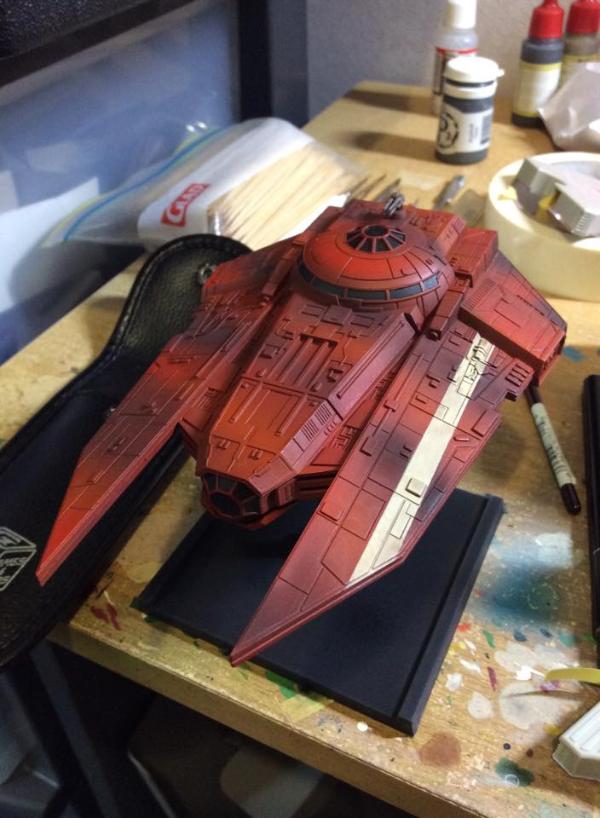
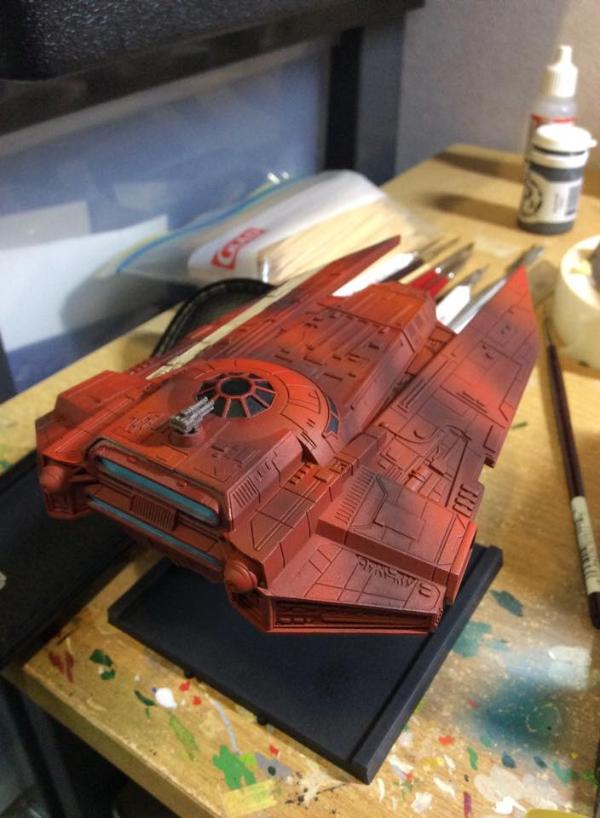


I was never a fan of the VT-49 Decimator look, but its depiction in Star Wars Commander changed my mind and inspired the following scheme:


Great job aadh! I will have to steal this, simple and effective.
I was never a fan of the VT-49 Decimator look, but its depiction in Star Wars Commander changed my mind and inspired the following scheme:
I like the simplicity of the darker panels. The contrast really works well. It's not an "in your face" scheme, but it's simple, effective and unique. Awesome.
Here is my latest repaint... sorry for the crappy phone pics, I really need to figure out a better setup for photos.

Wow great repaints. one day I will try my hand at this again, I'm especially impressed with the dark gray vt-49 with deep red detailing. It appears menacing
What's the best way to upload photos?
Because it says the file (picture) I'm trying to load is too big.
Should I do this from a computer instead of my smartphone, or how are you guys doing it?
Thanks for the help.
Edited by UndefeatedAceWhat's the best way to upload photos?
Because it says the file (picture) I'm trying to load is too big.
Should I do this from a computer instead of my smartphone, or how are you guys doing it?
Thanks for the help.
Upload to a photo host such as Photobucket, then get the url from there.
Or.. in the edit option, they gave us the ability to insert photos there.. looks like youu can link from your computer..
Or.. in the edit option, they gave us the ability to insert photos there.. looks like youu can link from your computer..
Yes, it is 490Kb max storage per post and only the person starting the topic may add images. Once attached, the image display size is reduced, offering a thumb of the actual image size. I love formatting the layout of my posts, I just assume using my Photobucket for image storage. That said, there are a few tiny icons that I may start using, such as Star Wars based emoticons, check marks, sigils and aurebesh.
<iframe width="480" height="360" src="http://s1376.photobucket.com/user/brandon_brown24/embed/slideshow/Mobile%20Uploads"></iframe
Hopefully this works. You guys inspired me with all of your cool repaints, so I had to do mine. :-)
Edited by UndefeatedAce<iframe width="480" height="360" src="http://s1376.photobucket.com/user/brandon_brown24/embed/slideshow/Mobile%20Uploads"></iframe
Hopefully this works. You guys inspired me with all of your cool repaints, so I had to do mine. :-)
Excellent. I like the red stripes on the side, I might do that too.
Looks good undefeatedace!
I might barrow aadh and expatsmuggler ideas. Nice work to all!!
Fear the power of the dark side!

More pictures : http://www.rule37.net/2014/12/x-wing-showcase-vt-49-decimator-repaint.html
Well, here is my VT-49.
Not sure if I'm too happy with it. I think i should have just used Kandy coats on the light effects, or should have just left hem off, but i wanted to do something to break up the giant grey mass on the table.
I also noticed that my phone for some reason picked up the blues in the striping really really vibrantly. Thats odd, because they aren't that bright in person, so it might be light refraction, but not sure. My phone may just pick up blues more easily.
anyway, feedback and comments welcome...
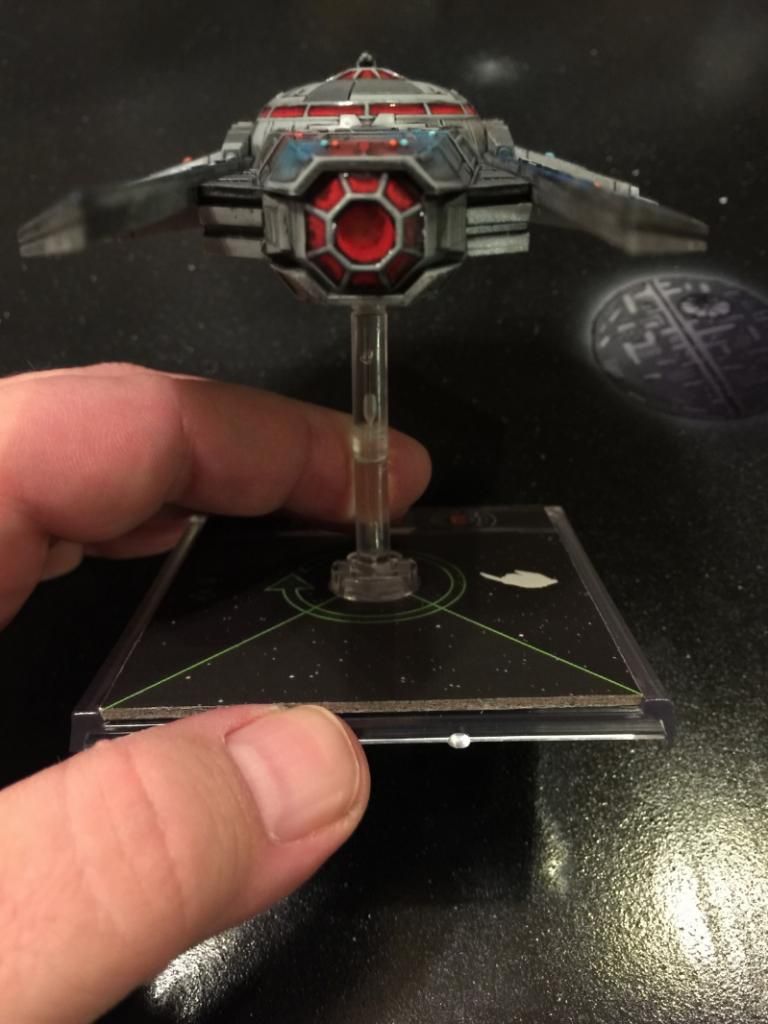
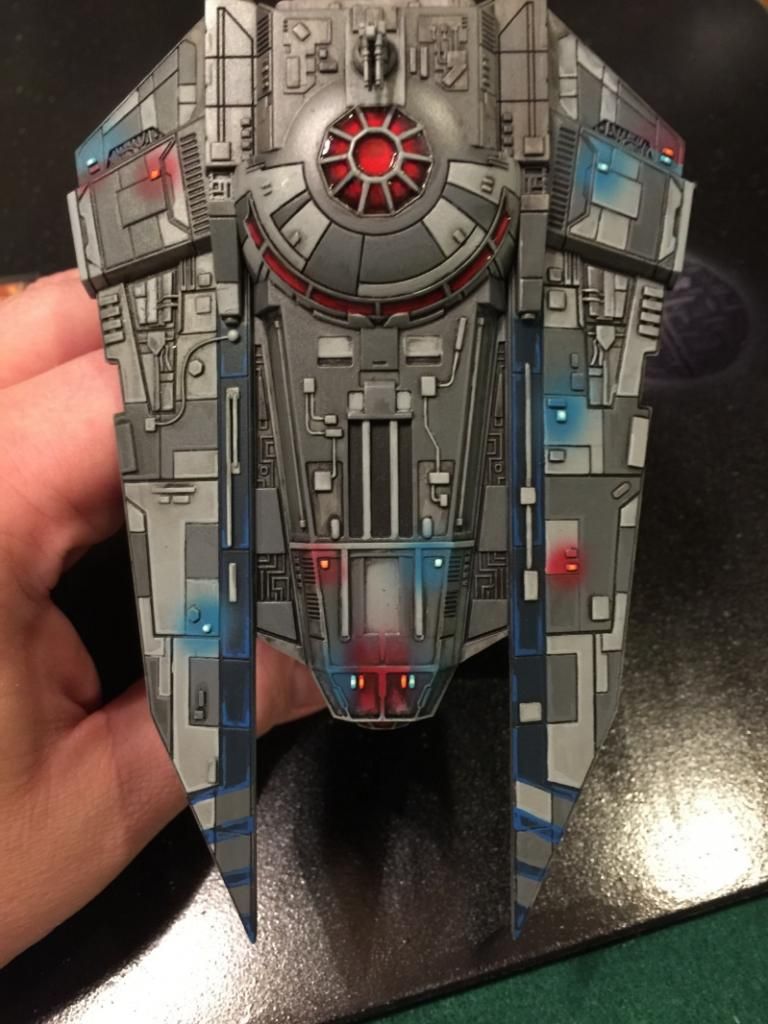
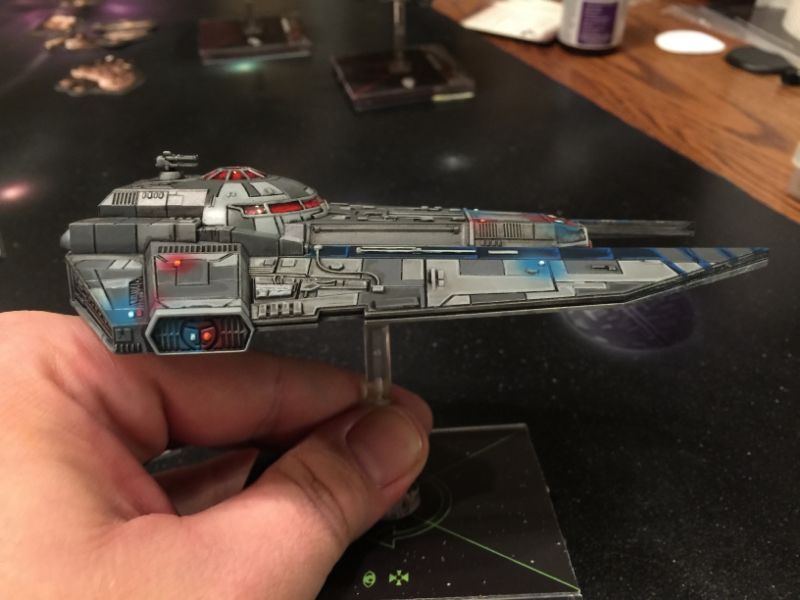
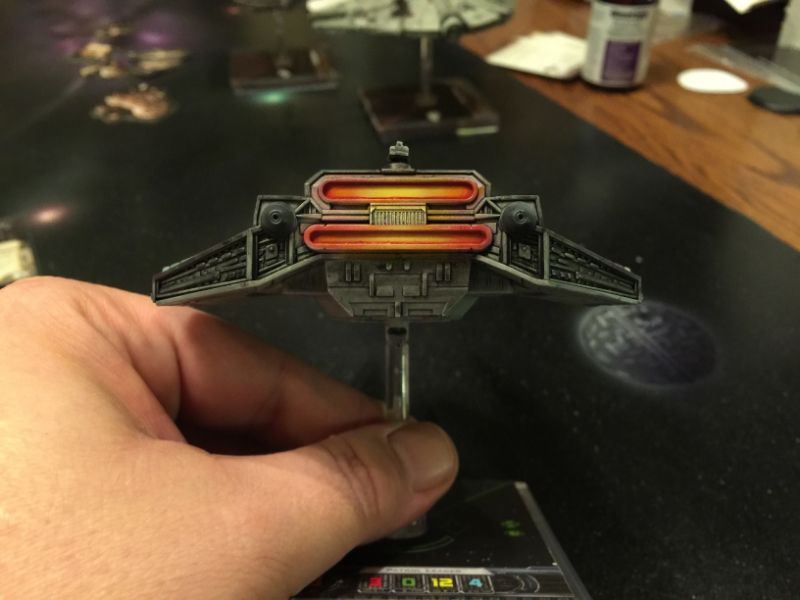
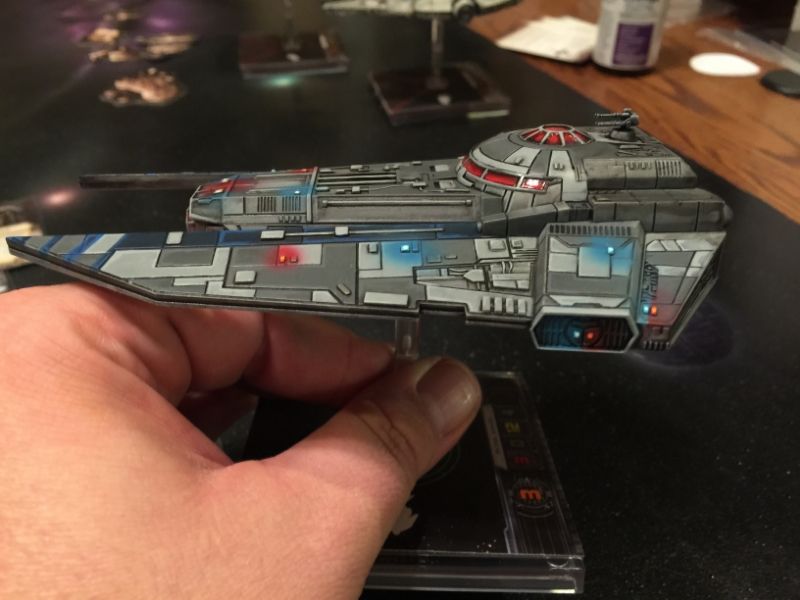
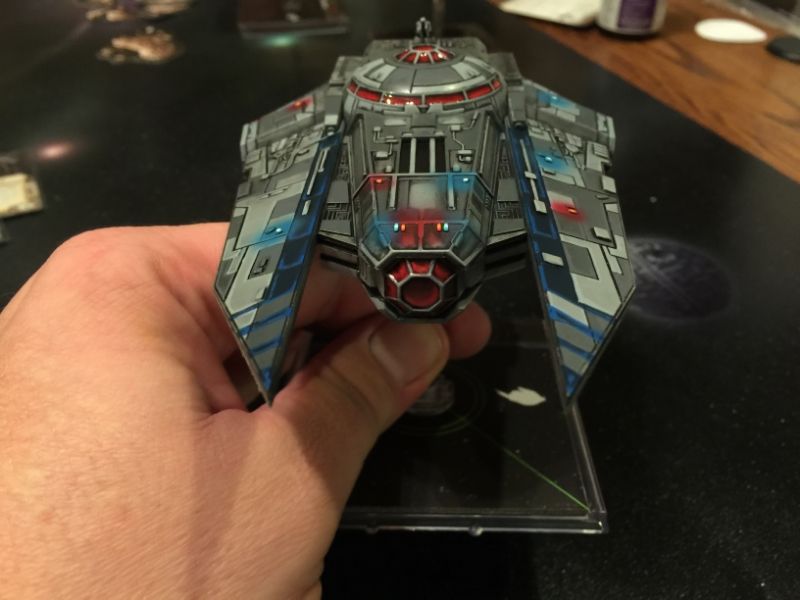
Woop woop! That's the sound of the po-lice.
Like it!
well, it is basically an imperial paddy-wagon, so thats the effect i was going for. that and i wanted a comic-book like color scheme for it, and i think if there is one thing that ended up the way i wanted it to, it was that. lol...
Woop Woop!
its funny, that reminds me of a quote. At the beginning of WWI, Kaiser Wilhelm stated that if the British army got involved, he would have them arrested... making reference to the fact that the British regular army at the outset of WWI was a very small army, and his police forces were bigger.
With the lighting effect, is it just as simple as spraying a quick spot with the airbrush then picking out the light in a brighter version of the colour using a brush? I'm wanting to do the same with my Eldar.
there is a couple of different ways. The lighting i did on this is to paint the light "white" and leave the areas around it the same color. shoot a little paint around the light, and then paint and highlight the light.
you can use kandy to do the same effect, but much better, and in retrospect, i should have used kandy on those lights to make them look more realistic.
either is a good effect though and will get the point across.
but yeah, paint the light white, spot it with an airbrush with very little paint (you still need the basecoat to show under the light color), then highlight the "light".